
Long formulas that overflow the margin are the most common LaTeX maths problem. The fix is choosing the right amsmath environment, not adding \\ to equation.
What you’ll learn
- Why a double backslash does nothing in
equation - Break one long equation with
multline - Align steps under one number with
split - Align several equations with
align - Center lines with
gather, and other options - Break inline maths, and spacing commands
All examples need \usepackage{amsmath} in the preamble. They compile the same with pdfLaTeX, XeLaTeX and LuaLaTeX, locally or on Overleaf.
Why a double backslash doesn’t work in equation
The equation environment typesets exactly one line. A \\ inside it is ignored, so this stays on a single line:
\begin{equation}a^2 + b^2 = c^2 \\+ d^2\end{equation}The output is a^2 + b^2 = c^2 + d^2 on one line with number (1). To get two lines under the same number, wrap the content in split:
\begin{equation}\begin{split}a^2 + b^2 = c^2 \\+ d^2\end{split}\end{equation}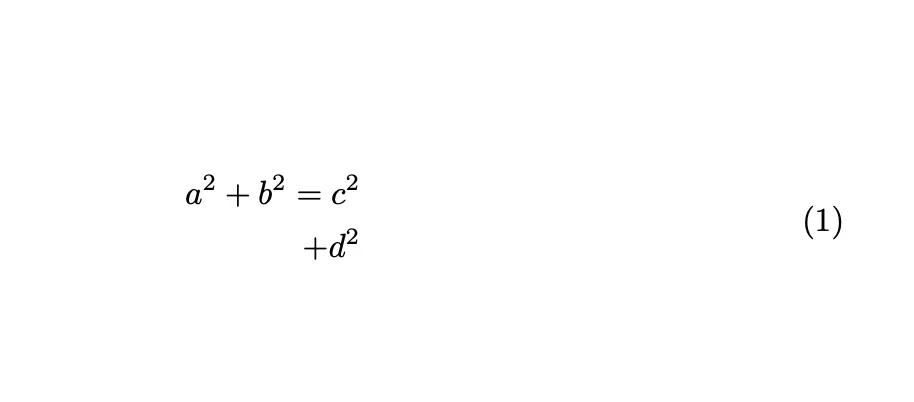
Without an &, split right-aligns every line. Add & to choose the alignment point, as in the split section below.
Break one long equation with multline
Use this when a single equation is too long and there is no natural alignment point.
\begin{multline}a + b + c + d + e = \\x + y + z\end{multline}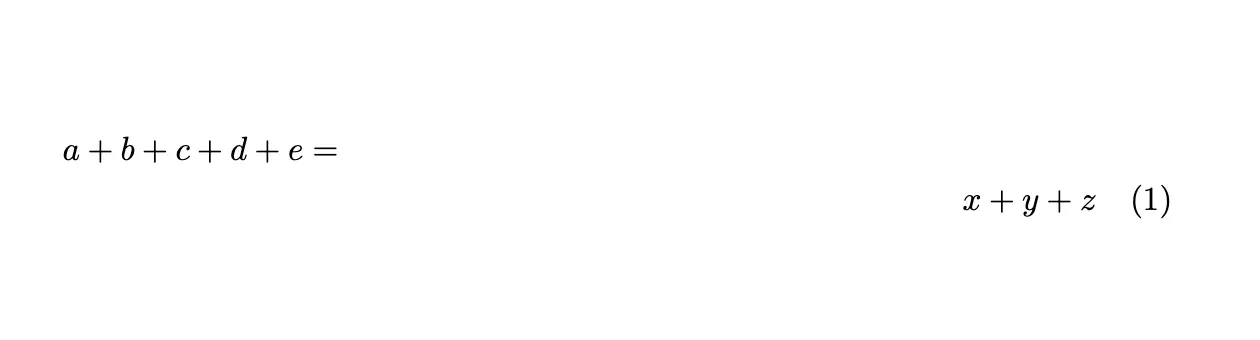
Result: the first line is flush left, the last line is flush right, and any middle lines are centred. The equation gets one number, on the last line.
multlinenever breaks lines for you; each\\is a break you choose.- Break before a binary operator such as
+, and start the next line with it. multline*removes the number.
Align steps under one number with split
Use this for a derivation where each line continues the previous one and the whole block needs one number.
\begin{equation}\begin{split} E &= mc^2 \\ &= m \cdot (3 \times 10^8)^2 \\ &= 9 \times 10^{16} \cdot m\end{split}\end{equation}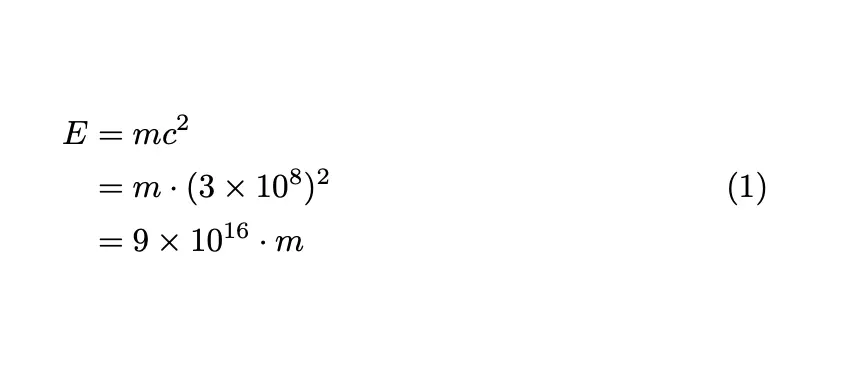
Result: the lines align at &, and the single number sits to the right, vertically centred on the block.
splitmust sit insideequation(or another display such asequation*).- Use one
&per line. - For several columns or a block that isn’t the whole display, use
alignedinstead.
Align several equations with align
Use this for a system of equations or a list of results, each with its own number.
\begin{align}x_1 + y_1 &= z_1 \\x_2 + y_2 &= z_2\end{align}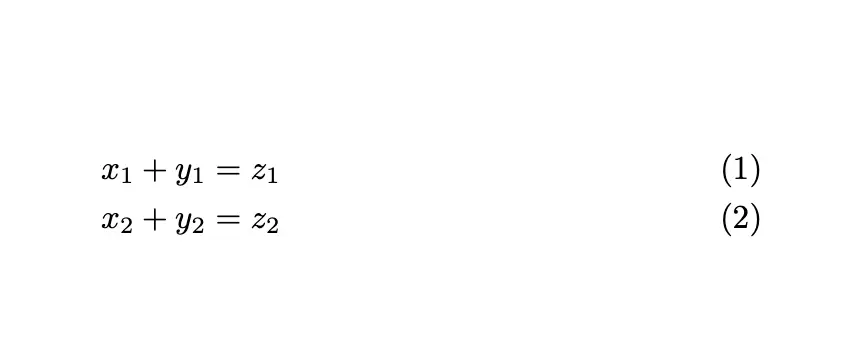
Result: every line is aligned at & and gets its own number.
- Put
\notag(or\nonumber) on a line to skip its number. - Use
align*to remove all numbers. - Add text between lines without breaking the alignment with
\intertext{...}:
\begin{align}f(x) &= (x+1)^2 \\\intertext{and after expanding,} &= x^2 + 2x + 1\end{align}Center lines with gather
Use this when you have several short equations that should be centred, not aligned.
\begin{gather}a = b + c \\d = e + f + g + h\end{gather}Result: each line is centred and numbered. gather* removes the numbers.
aligned for one number on an aligned block
aligned works like align but goes inside equation, so the block gets one number:
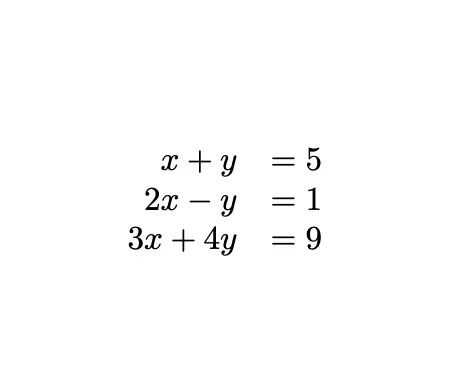
\begin{equation}\begin{aligned}x + y &= 5 \\2x - y &= 1 \\3x + 4y &= 9\end{aligned}\end{equation}Prefer this to an array with rl columns. In array, the = sits in a separate column and loses its normal spacing:
An array{rcl} puts = in its own centred column, which works but spaces it more widely than align:
\[\begin{array}{rcl}a + b + c &=& d + e + f \\ & & {}+ g + h\end{array}\]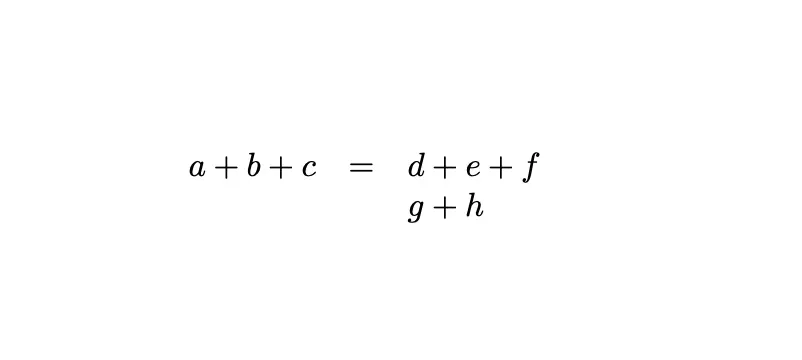
cases for piecewise functions
cases (also from amsmath) breaks a definition into one line per condition:
\[f(x) =\begin{cases}x^2 & \text{if } x < 0 \\2x + 1 & \text{if } 0 \leq x < 3 \\9 & \text{if } x \geq 3\end{cases}\]Automatic breaks with breqn
The breqn package’s dmath environment chooses line breaks for you:
\usepackage{breqn}...\begin{dmath}y = a_1 x + a_2 x^2 + a_3 x^3 + a_4 x^4 + a_5 x^5 + a_6 x^6 + a_7 x^7 + a_8 x^8\end{dmath}It is handy for very long sums, but it changes how maths is processed. Load it after your other maths packages and check the output.
Which environment should you use?
| Environment | Alignment | Numbering | Use it for |
|---|---|---|---|
multline | First line left, last right, middle centred | One number | A single equation too long for one line |
split (inside equation) | At & | One number for the block | A derivation under one number |
align | At & | One per line (\notag to skip) | Systems and lists of equations |
aligned (inside equation) | At & | One for the block | An aligned block inside another display |
gather | Each line centred | One per line | Several short, unrelated equations |
cases | Values and conditions in two columns | Follows the outer display | Piecewise definitions |
multlined (mathtools) | Like multline | Follows the outer display | A multline layout inside equation or align |
dmath (breqn) | Automatic | One number | Very long formulas you don’t want to break by hand |
Overleaf’s guide to aligning equations with amsmath has more examples.
Break long inline equations
Use this when a formula inside a paragraph runs past the margin.
TeX can already break inline maths after a relation such as = and after a binary operator such as +. If a formula still overflows, it has no such points where a break is needed.
- Insert
\allowbreakwhere a break is acceptable:$x_1 x_2 x_3 \allowbreak x_4 x_5$. - Split the formula into two
$...$pieces at a natural point. - If it’s long enough to need several breaks, move it to display maths with
\[ ... \]:
The equation\[y = mx + b + \sqrt{a^2 + b^2 + c^2 + d^2 + e^2 + f^2}\]is crucial.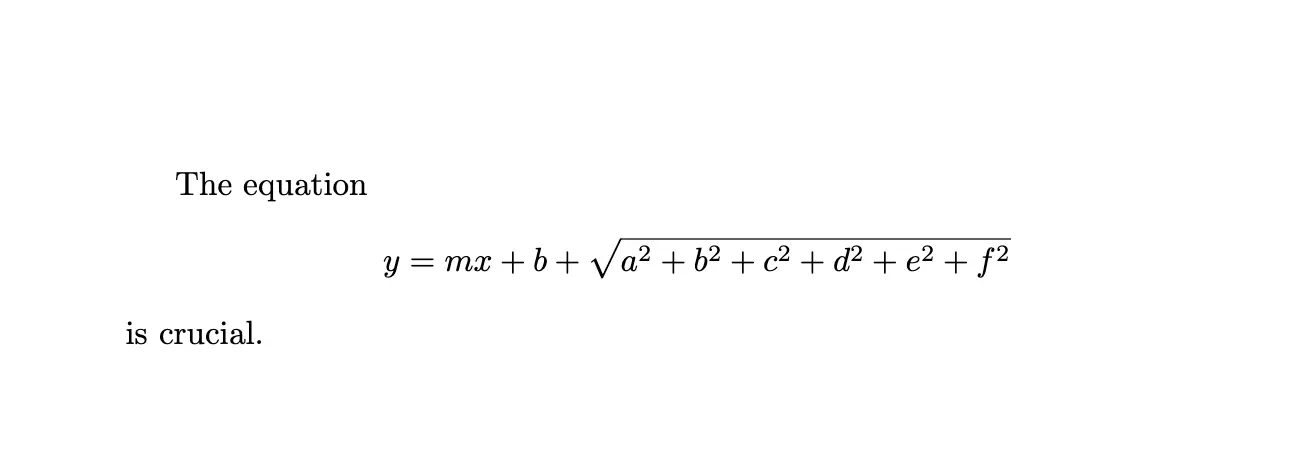
Use \[ ... \] rather than $$ ... $$. The double-dollar form is plain TeX; in LaTeX it gives inconsistent spacing and ignores options such as fleqn.
Spacing commands inside equations
Spacing commands adjust the gaps inside a line; they don’t break it.
| Command | Space | Example use |
|---|---|---|
\! | Negative thin space (tightens) | \int\!\!\int |
\, | Thin space | f(x)\,dx |
\: | Medium space | Between grouped terms |
\; | Thick space | Before a condition |
\quad | 1 em | Between an equation and a note |
\qquad | 2 em | Between two equations on one line |
\hspace{10pt} | Exactly the given length | Matching a style guide |
\[A = B \quad \text{(where $B$ is a constant)} \quad C = D + E\]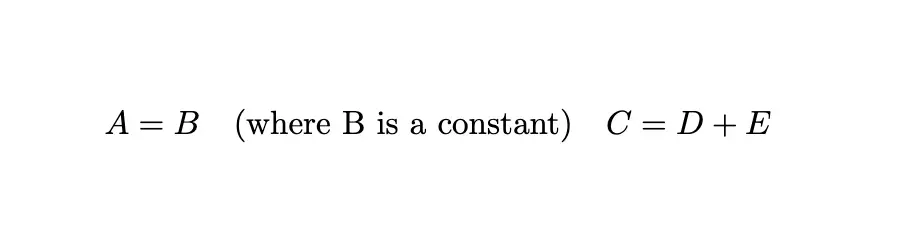
\[A = B + \hspace{10pt} C\]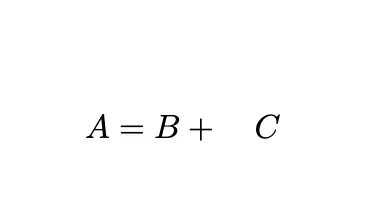
Common errors
\\ignored, everything on one line: you used\\inequation. Switch tosplit,multlineoralign.Environment multline undefined(oralign,split): add\usepackage{amsmath}to the preamble.Misplaced alignment tab character &: you used&inequation, which doesn’t align. Remove it or switch toalignorsplit.Extra alignment tab has been changed to \cr: too many&on a line, for example two insplitor any inmultline.splitallows one&per line; usealignfor several columns.- Number on every line when you wanted one: use
splitoralignedinsideequationinstead ofalign.
The amsmath package documentation covers every environment in detail.
If you need these equations outside LaTeX, you can convert LaTeX equations to editable Word equations or render LaTeX equations in Google Docs. The same environments also work in Jupyter notebooks. More formatting help is in the LaTeX guides.