
How to convert and export documents
Quick answer
To convert a document, open it in the app that created it and use File > Save as, File > Download or File > Export, then pick the target format such as PDF, Word (.docx), Google Docs or EPUB. Converting PDFs back into editable files works best in Word or Google Docs, with some formatting checks afterwards.
Step-by-step guides for moving documents between Microsoft Word, Google Docs, PDF and EPUB without losing formatting, including exporting Google Docs with tabs, password-protecting PDFs and editing PDFs in Word.
Video walkthroughs
 How to Use Claude in Google Docs Without Copy-Paste (3 Methods)
  How to Save One Page of a Word Document as PDF (4 Methods)
  How to Use Claude in Microsoft Word (Official Add-in)
  How to Download Claude Artifacts as PDF or Word (4 Methods)
  How to Export a Claude Chat to PDF, Word or Google Docs
 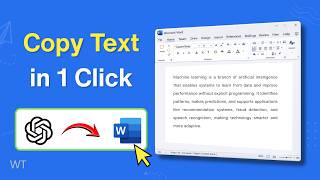 How to Copy ChatGPT to Word Without Losing Formatting
Convert to PDF
- How to Download All Tabs in Google Docs as One PDF (3 Methods) Video To download all tabs of a Google Doc as one PDF, click File > Download > PDF document (.pdf), switch the tab option from Current Tab to All Tabs, and click Export. Google Docs saves every tab, in tab order, as a single PDF. File > Print > Print all tabs works too.
- Can You Download a Google Doc With Comments? (PDF, Print & Word) Google Docs has no way to download or print a Doc with its comments as a PDF: File > Download > PDF and File > Print leave the comments out. To keep them, download the Doc as Microsoft Word (.docx), open it in Word, and print or save a PDF with Print Markup turned on.
- How to Save One Page of a Word Document as PDF (4 Methods) Video To save one page of a Word document as PDF, click on that page, choose File > Save As (or Save a Copy), set the type to PDF, click Options and select Current page under Page range, then click OK and Save. On a Mac, use File > Print with a page range and Save as PDF.
- How to Convert Word to PDF (3 Methods) Video To convert Word to PDF, open the document and choose File > Save As (or File > Export > Create PDF/XPS), select PDF as the file type, and click Save. In Word for the web, use File > Export > Download as PDF. On a Mac, choose File > Save As and set File Format to PDF.
- How to Export Google Docs as Password Protected PDF Google Docs can't add a password to a PDF on its own. Download the Doc with File > Download > PDF document (.pdf), then encrypt it offline in macOS Preview (File > Export > Permissions) or Adobe Acrobat, or use an add-on such as Docs to PDF Pro to export a password-protected PDF directly.
- How to Export Google Docs as a PDF (Desktop, Email & Mobile) Video To export a Google Doc as a PDF, open it and click File > Download > PDF document (.pdf). If the Doc has tabs, choose Current Tab or All Tabs and click Export. To set margins or a page range first, use File > Print and save as PDF. On Android, tap ⋮ > Share and export > Save as.
Convert to Word
- How to Convert an Image to a Word Document (2 Methods) To convert an image to a Word document, upload it to Google Drive, right-click it and choose Open with > Google Docs, then select File > Download > Microsoft Word (.docx). In desktop Word on Windows, insert the image, save the file as a PDF, then reopen that PDF in Word to get editable text.
- Google Docs to Word (Without Losing Formatting) Video To convert a Google Doc to Word, open it and choose File > Download > Microsoft Word (.docx); the file saves to your Downloads folder. To convert several Docs at once, select them in Google Drive, right-click and choose Download to get a ZIP of .docx files. On mobile, use More > Share & export > Save as Word.
Convert to Google Docs
Edit and convert PDFs
- How to Convert a PDF to Google Docs (2 Methods) Video To convert a PDF to Google Docs, upload it to Google Drive, right-click the file and choose Open with > Google Docs. Drive creates an editable Google Doc and keeps the original PDF. To convert many PDFs at once, use a bulk converter add-on such as PDF to Docs.
- How to Convert a PDF to Word (4 Methods) Video To convert a PDF to Word, open Word, choose File > Open (or drag the PDF onto Word), click OK when Word offers to convert it, then use File > Save As and pick Word Document (.docx). For scanned PDFs, open the file with Google Docs in Drive and download it as .docx.
- How to Edit a PDF File in Word Video To edit a PDF in Word, go to File > Open, choose the PDF, and click OK when Word says it will convert the file to an editable document. Make your changes, then use File > Save As and pick PDF or Word Document (.docx). Text-heavy PDFs convert best; complex layouts may shift.
EPUB and other formats
AI chats and documents
- How to Use Claude in Google Docs Without Copy-Paste (3 Methods) Video To use Claude in Google Docs, install Anthropic's Claude add-on from the Google Workspace Marketplace, then open a doc and go to Extensions > Claude > Open Claude. Sign in with a Pro, Max, Team or Enterprise account and ask Claude to rewrite or draft text; it edits the doc in place after you approve.
- How to Use Claude in Microsoft Word (Official Add-in) Video To use Claude in Microsoft Word, install Anthropic's official Claude for Word add-in from Microsoft AppSource (listed as Claude for Microsoft 365), open it from Add-ins in Word and sign in with a Pro, Max, Team or Enterprise account. Claude then drafts, rewrites selected text and edits with tracked changes inside your document.
- How to Copy ChatGPT to Word Without Losing Formatting Video To copy from ChatGPT to Word with formatting, select the Copy button under the response, paste into Word with Ctrl + V (Cmd + V on Mac), then open Paste Options and choose Keep Source Formatting. Headings, lists and tables come across. For many responses, or tables and math that break, export the chat to Word instead.
- How to Download Claude Artifacts as PDF or Word (4 Methods) Video To download a Claude artifact as PDF or Word, open it and click Export, then choose Word (.docx) or PDF. Older artifacts only offer Copy and Download in the panel header. You can also ask Claude to create a real .docx or PDF file, or use a Chrome extension that exports any artifact with its formatting.
- How to Export ChatGPT to Word, PDF or Google Docs (5 Methods) Video To export ChatGPT to Word, PDF or Google Docs, copy a response and paste it into your document, or print the chat to PDF with Ctrl + P (Cmd + P on Mac). For a whole conversation with tables and math intact, use a Chrome extension. To save every chat, use Settings > Data controls > Export data.
- How to Export a Claude Chat to PDF, Word or Google Docs Video Claude has no Download button for a whole chat. To export a Claude chat, copy the response into Word or Google Docs, ask Claude to turn it into a doc and use Export (Word, PDF, Markdown or Google Docs), or use a Chrome extension that saves single responses or the full conversation as PDF, Word or Google Docs.
- How to Export a Gemini Chat to Google Docs, PDF or Word Video To export a Gemini response to Google Docs, select Share & export > Export to Docs below it, then use File > Download in Docs for a PDF or Word file. Canvas documents export the same way. Gemini's built-in option works one response at a time, so use an extension to export the full conversation.